In computing, character encoding is used to represent a repertoire of characters by some kind of encoding system. Character encoding started with the telegraph code. The numerical values that make up a code space are called code points (or code positions).
ASCII
One of the most used character encoding scheme is ASCII, abbreviated from American Standard Code for Information Interchange. ASCII comprises 128 code points in the range 00hex to 7Fhex. Work on ASCII standardization began in 1960 and the first standard was published in 1963. The first commercial use of ASCII was as a seven-bit teleprinter code promoted by Bell Data Services in 1963. ASCII encodes 128 specified characters into seven-bit integers. The characters encoded are numbers 0 to 9, lowercase letters a to z, uppercase letters A to Z, basic punctuation symbols, a space and some non-printing control codes. The eight bit in an ASCII byte, unused for coding, was often used for error control in transmission protocols.
Extended ASCII
Extended ASCII uses all 8 bits of an ASCII byte and comprises 256 code points in the range 00hex to FFhex. The term is misleading because it does not mean that the ASCII standard has been updated to include more than 128 characters or that the term unambiguously identifies a single encoding. There are hundreds of character encoding schemes, based on ASCII, which use the eight bit to encode 128 additional characters used in other languages than american english or used for special purposes. Some of these codes are listed hereafter:
- EBCDIC : Extended Binary Coded Decimal Interchange Code, used mainly by IBM
- ISO 8859 : a joint ISO and IEC series of standards, comprising 15 variants; the most popular is ISO 8859-1 (called Latin 1)
- ATASCII and PETSCII : introduced by ATARI and Commodore for the first home computers
- Mac OS Roman : launched by Apple Computer
Unicode

Unicode Logo
Unicode is a computing industry standard for the consistent encoding, representation, and handling of text expressed in most of the world’s writing systems and historical scripts. The standard is maintained by the Unicode Consortium, a non-profit organization. The most recent version of Unicode is 9.0, published in June 2016. Unicode comprises 1.114.112 code points in the range 00hex to 10FFFFhex. The Unicode code space is divided into seventeen planes (the basic multilingual plane, and 16 supplementary planes), each with 65.536 (= 2 exp 16) code points. Unicode provides a unique number for every character, no matter what the platform, no matter what the program, no matter what the language. The Unicode Standard has been adopted by all industry leaders in the information technology domain..
Emoji
Emoji are ideograms and smileys used in electronic messages and web pages. The characters exist in various genres, including facial expressions, common objects, places and animals. Originating on Japanese mobile phones in the late 1990s, emoji have become increasingly popular worldwide since their international inclusion in Apple’s iPhone, which was followed by similar adoption by Android and other mobile operating systems. The word emoji comes from Japanese and means pictogram, the resemblance to the English words “emotion” and “emoticon” is just a coincidence. Emoji are now included in Unicode.
Emoji Candidates
Anyone can submit a proposal for a new emoji character, but the proposal needs to have all the right information for it to have a chance of being accepted. The conditions and the process is described on the Submitting Emoji Character Proposals webpage of the Unicode Consortium. The following figure shows the 8 Emoji candidates for the next meeting (Q4 2016) of the Unicode Technical Committee (UTC). When approved, these characters will be added to Unicode 10.0, for release in June, 2017.
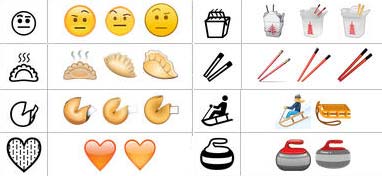
New Emoji Candidates 2016
Unicode Adapt-a-Character
Unicode launched the initiative Adopt-a-Character to help the non-profit consortium in its goal to support the world’s languages. There are three sponsorship levels : Gold, Silver and Bronze. All sponsors are acknowledged in Unicode’s Sponsors of Adopted Characters and their public Twitter feed with their level of support, and they receive a custom digital badge for their character. Donation for a bronze adoption are only 100 US$.
Unicode Encoding
Unicode can be implemented by different character encodings. The most commonly used encodings are UTF-8, UTF-16, UTF-32. A comparison of the encoding schemes is available at Wikipedia.
UTF-8
UTF-8 is a character encoding capable of encoding all possible characters, or code points, defined by Unicode. UTF-8 was originally designed by Ken Thompson and Rob Pike. The encoding is variable-length and uses 8-bit code units. UTF-8 uses one byte for any ASCII character, all of which have the same code values in both UTF-8 and ASCII encoding, and up to four bytes for other characters. There are three sort of units in a variable-width encoding (multibyte encoding).
- Singleton : a single unit (one byte)
- Lead : a lead unit comes first in a multibyte encoding
- Trail : a trail unit comes afterwards in a multibyte encoding
UTF-8 was first presented in 1993.
UTF-16
UTF-16 is a character encoding capable of encoding all 1,112,064 possible characters in Unicode. The encoding is variable-length, as code points are encoded with one or two 16-bit code units. UTF-16 are incompatible with ASCII files. UTF-16 was developed from an earlier fixed-width 16-bit encoding known as UCS-2 (for 2-byte Universal Character Set) once it became clear that a fixed-width 2-byte encoding could not encode enough characters to be truly universal.
UTF-32
UTF-32 is a protocol to encode Unicode code points that uses exactly 32 bits per Unicode code point. This makes UTF-32 a fixed-length encoding, in contrast to all other Unicode transformation formats which are variable-length encodings. The UTF-32 form of a code point is a direct representation of that code point’s numerical value.
The main advantage of UTF-32, versus variable-length encodings, is that the Unicode code points are directly indexable. This makes UTF-32 a simple replacement in code that uses integers to index characters out of strings, as was commonly done for ASCII. The main disadvantage of UTF-32 is that it is space inefficient.
Unicode Equivalence
Unicode equivalence is the specification by the Unicode character encoding standard that some sequences of code points represent the same character. This feature was introduced in the standard to allow compatibility with preexisting standard character sets. Unicode provides two such notions, canonical equivalence and compatibility.
Code point sequences that are defined as canonically equivalent are assumed to have the same appearance and meaning when printed or displayed. Sequences that are defined as compatible are assumed to have possibly distinct appearances, but the same meaning in some contexts. Sequences that are canonically equivalent are also compatible, but the opposite is not necessarily true.
Unicode Normalization
The Unicode standard also defines a text normalization procedure, called Unicode normalization, that replaces equivalent sequences of characters so that any two texts that are equivalent will be reduced to the same sequence of code points, called the normalization form or normal form of the original text. For each of the two equivalence notions, Unicode defines two normal forms, one fully composed (where multiple code points are replaced by single points whenever possible), and one fully decomposed (where single points are split into multiple ones). Each of these four normal forms can be used in text processing :
- NFD : Normalization Form Canonical Decomposition
- NFC : Normalization Form Canonical Composition
- NFKD : Normalization Form Compatibility Decomposition
- NFKC : Normalization Form Compatibility Composition
All these algorithms are idempotent transformations, meaning that a string that is already in one of these normalized forms will not be modified if processed again by the same algorithm.
Combining characters
In the context of Unicode, character composition is the process of replacing the code points of a base letter followed by one or more combining characters into a single precomposed character; and character decomposition is the opposite process.
| NFC character: | C | é | l | i | n | e | |
| NFC code point | 0043 | 00e9 | 006c | 0069 | 006e | 0065 | |
| NFD code point | 0043 | 0065 | 0301 | 006c | 0069 | 006e | 0065 |
| NFD character | C | e | ◌́ | l | i | n | e |
Unicode support in OS X Swift
In Swift, strings are comprised of a special data structure called Characters (with capital C), which are made of Unicode scalar values (unique 21-bit numbers). We have seen in the above chapter that ” é ” can be described in two ways :
- let eAcute = ” \ u {E9} ” // é
- let combinedEAcute = ” \ u {65} \ u {301} // e followed by ´
The accent scalar (U+0301) is called ” COMBINING ACUTE ACCENT “. A Swift Character can contain multiple Unicode scalars, but only if those scalars are supposed to be displayed as a single entity. Otherwise Swift throws an error.
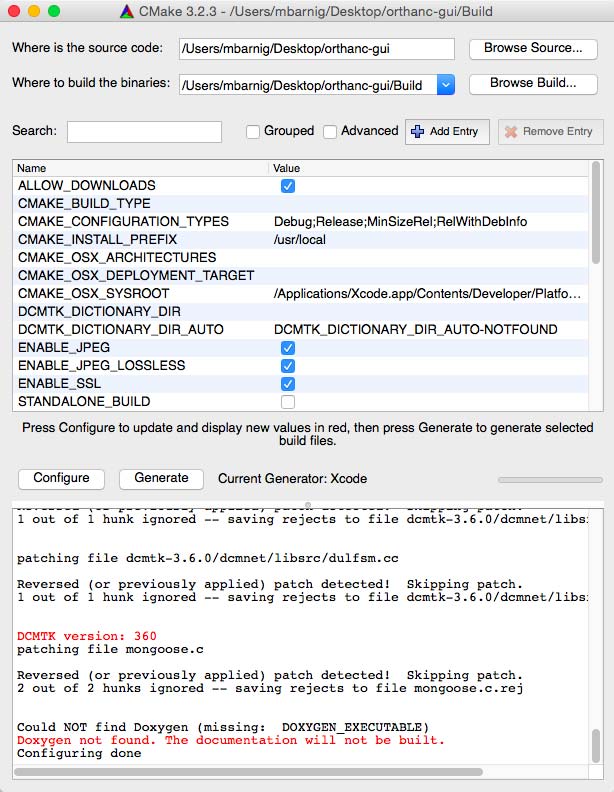
The swift function Process( ) (formerly NSTask) used to run Unix excecutables in OS X apps encodes characters using decomposed unicode forms (NFD). This can be a problem when handling special characters in Swift (hash, dcmodify, …).
The following example shows the use of the DCMTK function dcmodify where the arguments to insert a new tag are handled with the argument
let argument = ["-i", "(4321,1011)=Ostéomyélite à pyogènes"]The accented characters are passed in the decomposed form. A workaround is to save the value Ostéomyélite à pyogènes in a first step in a text file (Directory/Temp.txt) into a temporary folder and to use the dcmodify “if” option to pass the text file in the argument:
let argument = ["-if","(4321, 1011)=" + Path to Directory/Temp.txt]The accented characters are now passed in the composed form as wanted.
UTF-8 support in DICOM
Today UTF-8 characters are supported in most DICOM applications, if they are configured correctly. The Specific Character Set (0008,0005) identifies the Character Set that expands or replaces the Basic Graphic Set for values of Data Elements that have Value Representation of SH, LO, ST, PN, LT or UT. The defined term for multi-byte character sets without code extensions is ISO_IR 192.
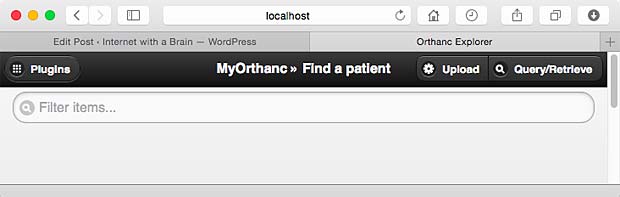
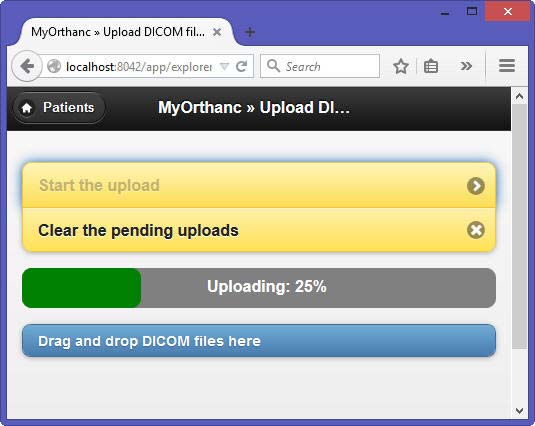
The next figure shows the use of UTF-8 characters in the Orthanc DICOM server.
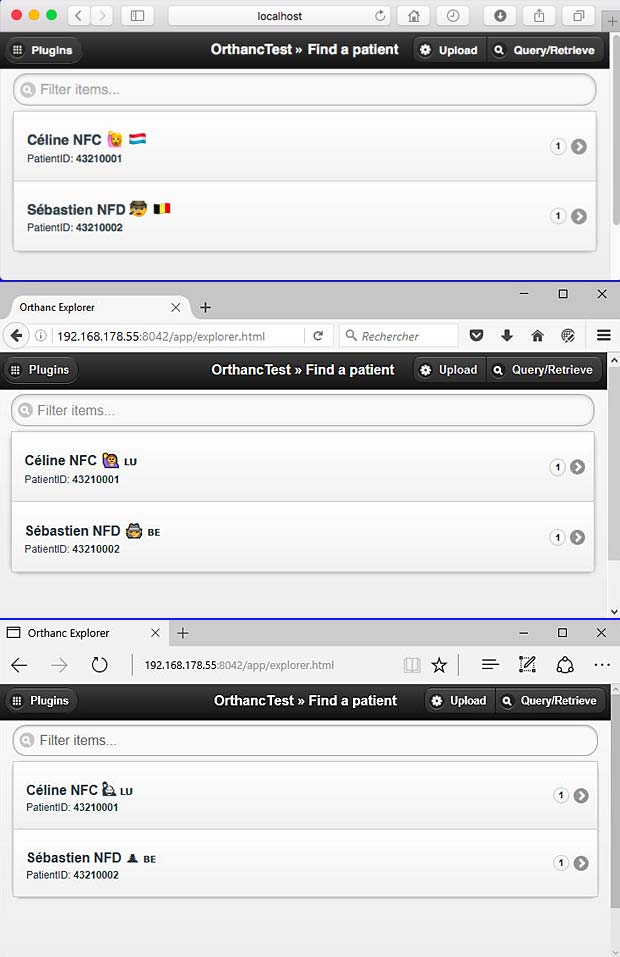
Orthanc Explorer “Patient Page” in different Web-Browsers : Safari, Firefox and Microsoft Edge
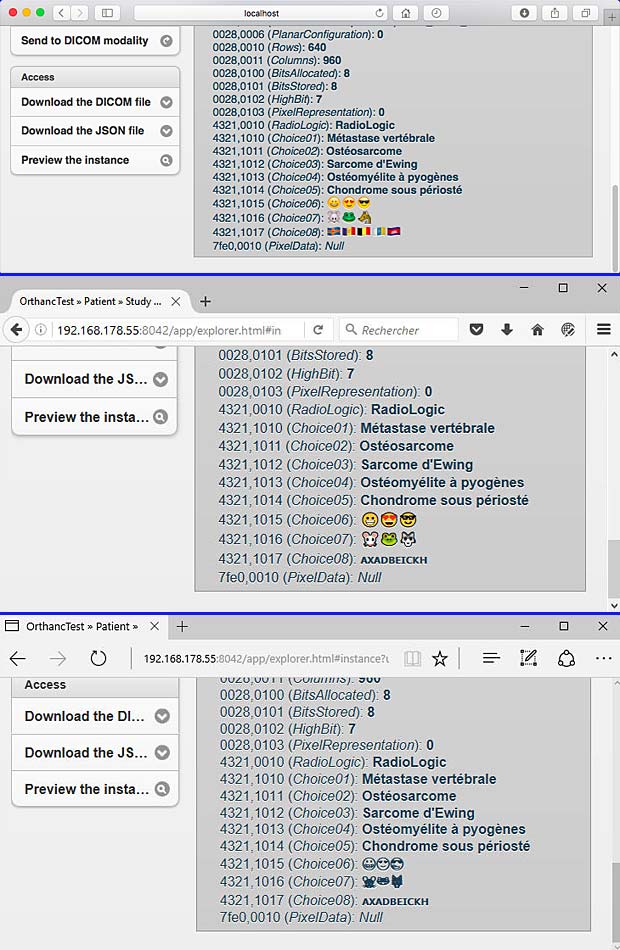
Orthanc Explorer “Instance Page” in different Web-Browsers : Safari, Firefox and Microsoft Edge
Links
Some links to websites providing additional informations about character encoding are listed hereafter :
- Digging Deep into Swift’s Strings and Characters, by Dan Livingston
- Unicode compatibility characters, Wikipedia
- handling-special-characters-in-swift, stackoverflow
- uconv